You cannot select more than 25 topics
Topics must start with a letter or number, can include dashes ('-') and can be up to 35 characters long.
 3b4b9a9740
|
4 years ago | |
|---|---|---|
| .github/workflows | 4 years ago | |
| .husky | 4 years ago | |
| client | 4 years ago | |
| server | 4 years ago | |
| .dockerignore | 7 years ago | |
| .gitattributes | 6 years ago | |
| .gitignore | 4 years ago | |
| CODE_OF_CONDUCT.md | 6 years ago | |
| CONTRIBUTING.md | 4 years ago | |
| Dockerfile | 4 years ago | |
| Dockerfile.base | 4 years ago | |
| LICENSE | 7 years ago | |
| README.md | 4 years ago | |
| demo.gif | 7 years ago | |
| docker-compose-dev.yml | 6 years ago | |
| docker-compose.yml | 4 years ago | |
| docker-start.sh | 5 years ago | |
| package-lock.json | 4 years ago | |
| package.json | 4 years ago | |
README.md
Planka




A Trello-like kanban board built with React and Redux.
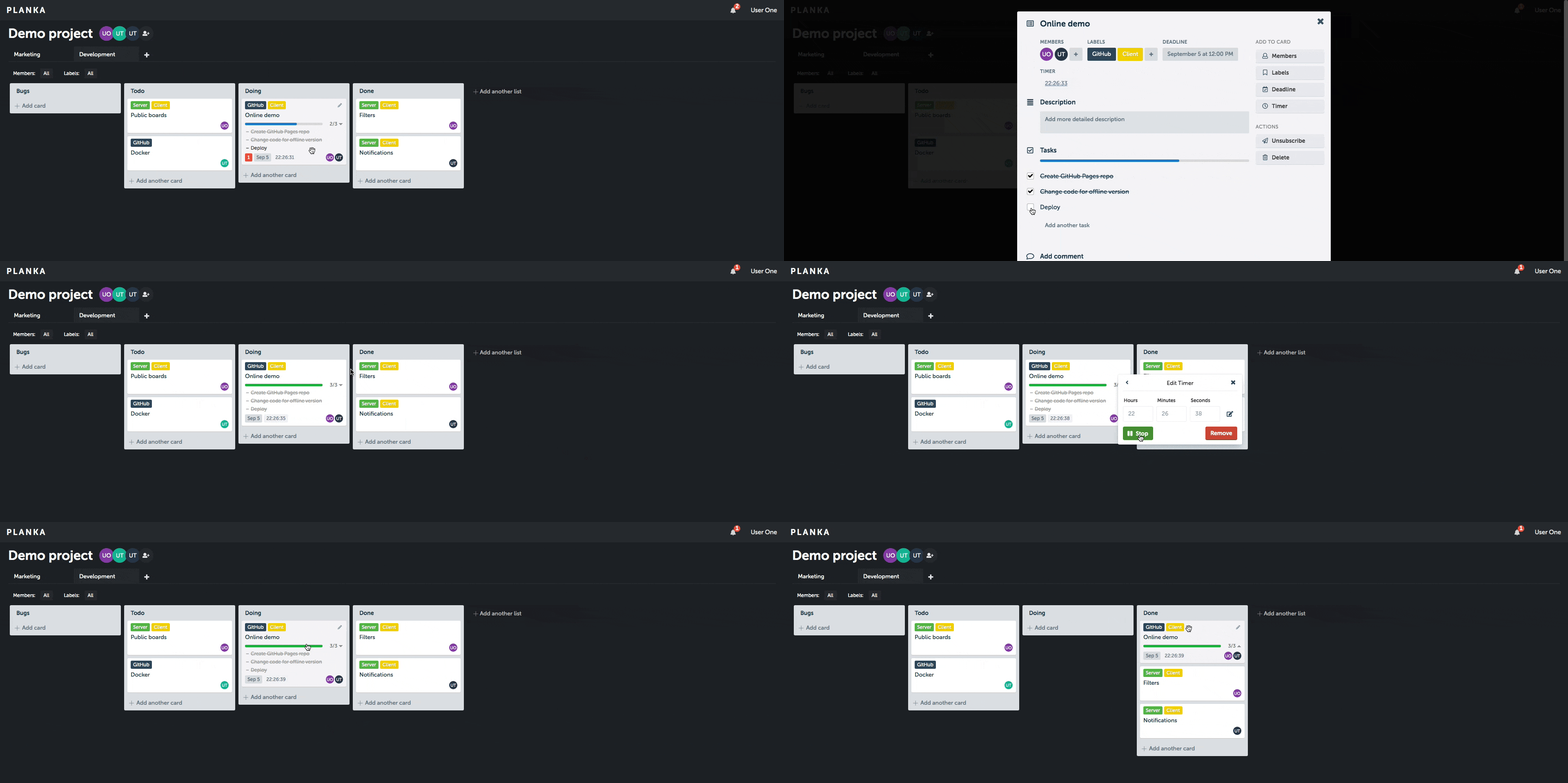
Client demo (without server features).
Features
- Create projects, boards, lists, cards, labels and tasks
- Add card members, track time, set a due date, add attachments, write comments
- Markdown support in a card description and comment
- Filter by members and labels
- Customize project background
- Real-time updates
- User notifications
- Internationalization
Deploy
Docker Compose

- Make sure you have Docker and Docker Compose installed and operational.
- Create
docker-compose.ymlbased on the example. This is the ONLY file you will need. You can create this file on your own machine by copy and pasting the content. - Edit
BASE_URLto match your domain name or IP address. - Edit
SECRET_KEYwith random value. You can generate it byopenssl rand -hex 64.
Download the docker-compose.yml:
curl -L https://raw.githubusercontent.com/plankanban/planka/master/docker-compose.yml -o docker-compose.yml
Pull images and start services:
docker-compose up -d
Demo user: demo@demo.demo demo
Development
Clone the repository and install dependencies:
git clone https://github.com/plankanban/planka.git

cd planka
npm install
Either use a local database or start the provided development database:
docker-compose -f docker-compose-dev.yml up
Create server/.env based on server/.env.sample and edit DATABASE_URL if needed, then initialize the database:
npm run server:db:init
Start the development server:
npm start
Demo user: demo@demo.demo demo
Tech stack
- React, Redux, Redux-Saga, Redux-ORM, Semantic UI React, react-beautiful-dnd
- Sails.js, Knex.js
- PostgreSQL
License
Planka is MIT licensed.